
Samsung Galaxy S26 Ultra Review: The New King of Flagships?
May 9, 2026- Performance: Snapdragon 8 Elite Gen 5 / 12GB
- Main Display: 6.9-inch SDynamic AMOLED 2X
- Weight: 214g
- Storage: 256
- OS/Software: Android 16, One UI 8.5
- Battery: 5,000 mAh
- Charging: 60W wired
- Features: 8K UHD / 1080p / 720p HD video recording
- Rear Camera: 200 MP Wide + 50 MP + 50 MP Ultra-Wide + 10 MP Telephoto
- Front Camera: 12 MP, 4K Video recording
- Connectivity: Wi-Fi 7, Bluetooth v5.4, NFC,LTE, 5G
- Colour: Cobalt Violet
- Rating: 4/5
- Price: RM 5,999.00
Samsung Galaxy S26 Ultra: The New King of Flagships?
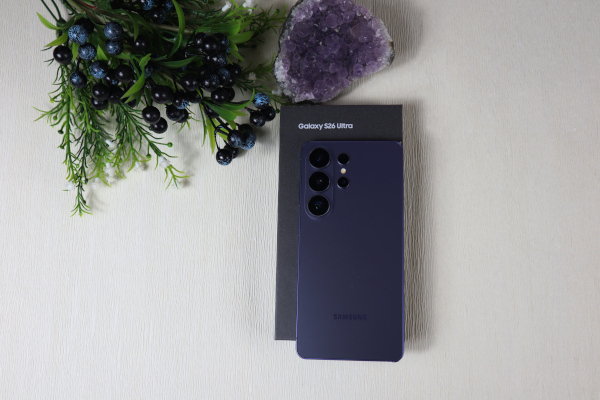
Honestly, Samsung really did something here. I’ve been holding the new Galaxy S26 Ultra for a bit now, and the first thing I have to say is that the vibes are just different this year. We all saw the leaks, but having the actual device in my hand is a whole different experience.
I know everyone is asking if it’s actually worth the upgrade or if it’s just another “copy-paste” from last year. After daily driving this for a week, doing my usual “real-world” testing, and seeing how it actually handles, I’ve got some thoughts. I’m reviewing the Cobalt Violet version today, and let me tell you, this color is an absolute mood.
Let’s stop the yapping and get straight into the details, starting with the look and feel.
The Design
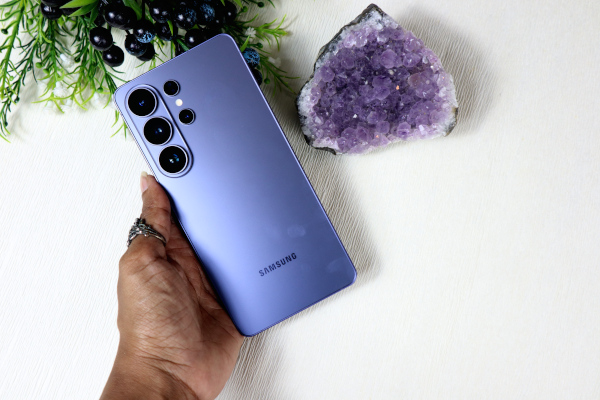
The design of the Galaxy S26 Ultra is a major refinement for Samsung. If we are comparing the S25 Ultra with the S26 Ultra, the first thing you’re going to notice is the ergonomics. They’ve moved away from those super sharp corners that used to dig into your palm, making it way more comfortable to hold for long review sessions.
The background has a big difference in the camera setup too. Instead of the lenses just floating there like last year, they’ve integrated them into this “ambient island” look that feels much more high-end and clean.
Speaking about how many colors Samsung has released, they’ve dropped six options this time around. You’ve got the classics, but the color that I am reviewing is Cobalt Violet. It’s this deep, metallic purple that looks insane under studio lights but stays low-key enough for daily use.
Screen & Build Quality
When it comes to the build, they aren’t playing around. The front screen is made of Corning® Gorilla® Armor 2, which has that amazing anti-reflective tech—it literally makes the glass look invisible. The back is crafted from Gorilla® Victus® 2, so it’s got that premium matte touch that doesn’t pick up every single fingerprint.
The display size is a massive 6.9-inch panel, and it’s basically all screen. But the real flex is the brightness. We are hitting 2600 nits peak brightness here. I took this outside in direct sunlight, and it’s still perfectly clear—no squinting needed.
Under the Hood: One UI 8.5 & The Privacy Flex
Since the hardware feels like a “remix” of last year, the real magic is happening inside the software. The S26 Ultra is running One UI 8.5 (Android 16), and it’s finally giving us features that actually change how you use the phone daily.
The Privacy Display (The Big Game-Changer)
Let’s talk about the feature everyone is hyped for: the Privacy Display. We’ve seen privacy screen protectors for years, but those usually make your screen look grainy and dim 24/7. Samsung finally did it—they built this directly into the pixels.
Using Flex Magic Pixel tech, you can now toggle a “Privacy Mode” straight from your Quick Panel. When it’s on, the light is directed only at your face. If someone is sitting next to you on a train or standing behind you in a lift, your screen literally looks like it’s turned off or just showing a weird metallic glare. For us Android users, this is a huge win because we’ve seen similar things on iPhone accessories, but having it built into the hardware with zero quality loss? That is a massive flex. It’s perfect for when you’re checking emails or banking in public.
Smart Agentic AI
One UI 8.5 isn’t just about “AI photo editing” anymore. It’s moved into Agentic AI, which basically means the phone is a step ahead of you.
Now Brief: Instead of a wall of notifications, you get a “Now Brief” that summarizes your morning. It tells you what happened in your chats, what your schedule looks like, and even warns you if you need to leave early because of traffic.
AI Audio Eraser Pro: For my fellow creators, this is a lifesaver. You can record a video in a loud cafe, and the AI will literally strip out the background noise and make your voice sound like you’re in a studio.
The Creator Flex
Beyond the Specs
Besides the design and the screen, the most added features are actually for the creators. Samsung knows we aren’t just taking “pics of our food” anymore—we’re out here editing full videos and high-res content on the go. Here is why the S26 Ultra is low-key a studio in your pocket:
APV stands for Advanced Professional Video.
Think of it as “Night Vision” for your video quality. Usually, when you edit a video or send it to a friend, the quality drops and things get blurry. APV keeps the original detail locked in. * Visually Lossless: Even if you edit the video ten times, it still looks like it was just recorded.
Storage Win: It actually uses 10% less space than other high-quality formats while keeping that sharp 8K look.
Pro Tip: If you want your vlogs to look like they were shot on a real cinema camera, turn this on in the settings.
The AI Feature: Photo Assist
Forget the old “Generative Edit” name. On the S26 Ultra, it’s all about Photo Assist.
What it is: The hub for all your “Studio-level” edits in the Gallery.
How it works: You just tap the Galaxy AI icon (the sparkles) and you’re in.
Key tools: This is where you find Sketch to Image (turning doodles into real objects) and the new Text Prompt feature, where you just type what you want to change.
Tap on the link to watch the video: https://youtube.com/shorts/hFIVB4h3wVE?si=gVb9ZxpmnTOPMqKc
Video Softening & AF Control
In the Camera Assistant, they finally added Video Softening. Samsung’s video can sometimes look a bit too “sharp” and digital. You can now set this to “Medium” to give your vlogs a more natural, film-like look. Plus, you can now manually adjust the autofocus speed, so you can get those slow, cinematic focus pulls from one subject to another.
Smart Screen Recording
For my fellow tech reviewers and gamers, this is a lifesaver. You can now record just a portion of your screen instead of the whole thing. If you want to show a specific app feature without showing your notifications or your wallpaper, you can just crop the recording area in real-time.
The Camera: Stop Comparing, Start Creating
Let’s be real for a second: we don’t need a 7-page breakdown of “Daylight vs. Night View” anymore. We all know the Galaxy S26 Ultra is the undisputed king of smartphone cameras. Whether it’s 12:00 PM or 12:00 AM, the shots are undeniable. If you’re trying to compare every single generation of the Ultra, you’re missing the point. The hardware is already at the top.
The real tea? The fun isn’t in the snap—it’s in the edit.
Snap Now, Vibe Later



The S26 Ultra has shifted the game. It’s no longer just about capturing a moment; it’s about improvising it. You can snap literally any picture you want, and the new Photo Assist tools are there to turn it into a masterpiece.
Infinite Exploration: Don’t stress about the perfect composition. Just snap. The AI tools are far more powerful than ever before, letting you move objects, change the lighting, or even “sketch” new elements into existence.

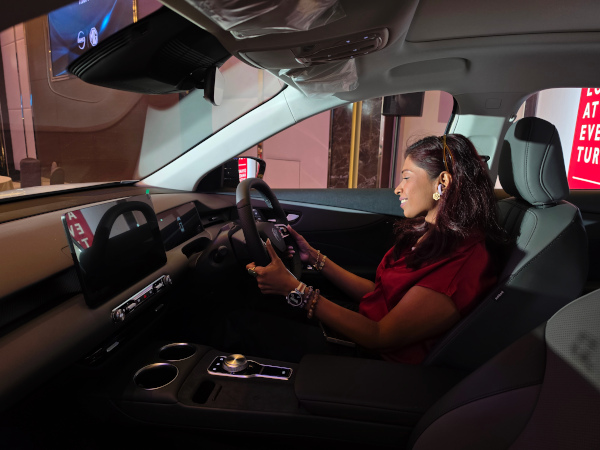

The “Studio” in Your Pocket: The editing tools are the real “Main Character” this year. They take a standard high-quality shot and give it that professional, curated look that used to take hours in Photoshop.
The Verdict: Stop worrying about the sensor specs. Just snap as many pictures as you want and spend your time exploring the tools. The camera stays winning, but the editing is where you actually find the fun.
Battery & The Charging Boost
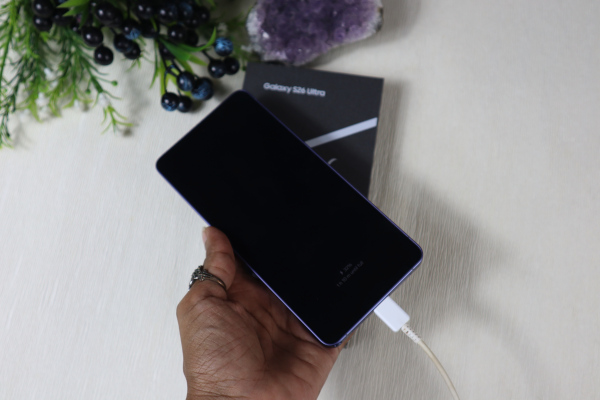
Now, let’s keep it real about the power. If you were hoping for a bigger battery, I’ve got some “good news, bad news” for you. The 5,000 mAh cell is exactly the same as the S25 Ultra. Battery life is still solid—it’ll get you through a full day of heavy editing and “house chores”—but it’s not a record-breaker.
However, the charging is where we finally got an upgrade.
60W Wired Charging: Samsung finally bumped us up from 45W! It’s not “hyper-charging” yet, but it’s a noticeable jump. You can get from 0 to 80% significantly faster now, which is a big deal when you’re in a rush.
25W Wireless Charging: They also sped up the wireless side, so if you’re a “drop it on the pad” type of person, you’re getting more juice in less time.
The Final Verdict: Investment or Expense?
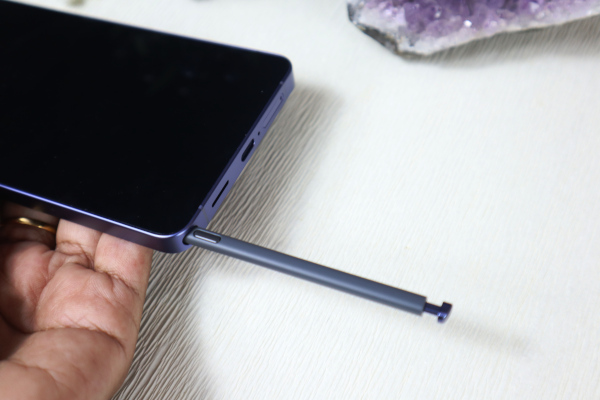
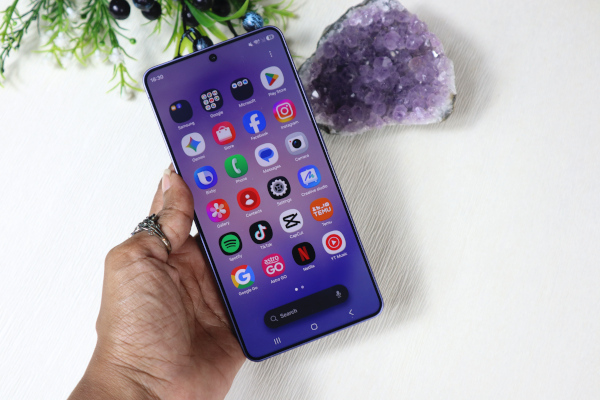
Let’s keep it 100: It is incredibly hard to tell anyone not to buy a Galaxy Ultra. When Samsung drops this phone, they aren’t just releasing another device into the “junkyard” of mid-range tech. They are dropping a hardcore performance beast that simply does not give you problems.
The Ultra is a “No-Brainer” for a reason. Whether you’re a light user who just wants a reliable screen or a heavy-duty creator pushing every pixel, it doesn’t matter. Whether you’re obsessed with photography or you barely open the camera app, it still doesn’t matter. The S26 Ultra is the perfect combination of everything.
The Real Tea on the Price Tag
At the end of the day, when you buy this phone, you aren’t “wasting” money—you’re investing for the next few years.
Built to Last: You get a phone that you can absolutely crush. No matter what you throw at it, this thing works for you 24/7.
Future-Proof: With the Snapdragon 8 Elite Gen 5 and those Photo Assist tools, you aren’t going to feel the need to upgrade next year or even the year after.
My Final Word: If you want a phone that just works and stays winning for years to come, the S26 Ultra is the one. You aren’t just buying a smartphone; you’re buying peace of mind and elite performance.